I will use this opportunity to create an audio plugin with the JUCE framework, using its selection of tutorial content: https://juce.com/learn/tutorials
The nature of the plugin will depend on what I can put together with the various elements built from the tutorial content.
Gain Slider
This simple gain slider plugin was made using tutorials from the Audio Programmer youtube channel (https://www.youtube.com/channel/UCpKb02FsH4WH4X_2xhIoJ1A).
The plugin essentially scales audio samples, using a logarithmic scale.
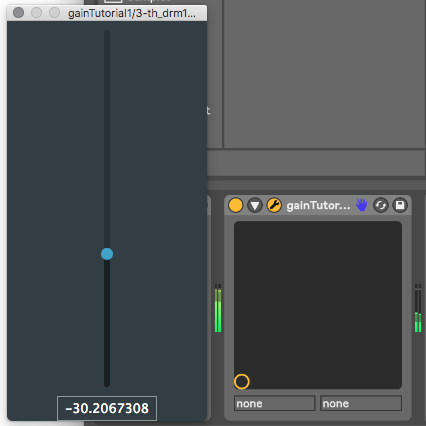
The image shows audio being attenuated through the gain slider in Ableton Live. (I will customise the UI once I have added the element to the main project) :
Repository for source code:
https://github.com/MartinTownley/AAP_gainSlider.git
Adding Parameter Functionality to the Gain Slider
Following on from the previous tutorial, I’ve added parameter control to the gain slider – now the plugin can be adjusted using automation in Ableton or another DAW.
This involved utilising the AudioProcessorValueTreeState class. A couple of interesting things I took away from the tutorial:
1) Variables can, and should, be intialised in an “initialiser list”, rather than inside the constructor.
2) When a destructor is called, class members destruct from the bottom up as they are listed in the header file. This means you have to be careful how you order your class members: for instance, if you have a “slider” member and a “slider value” member, you want to make sure that the slider VALUE member gets destructed before the actual slider. If they’re the other way around, your plugin will crash (as explained in the tutorial video), I suppose because it can’t destruct a slider value member if the slider member has already been destructed.
In general, the tutorial content was quite dense and beyond my understanding. However, I expect I’ll gain a deeper understanding when I try to adapt the code to create parameter control for a different parameter.
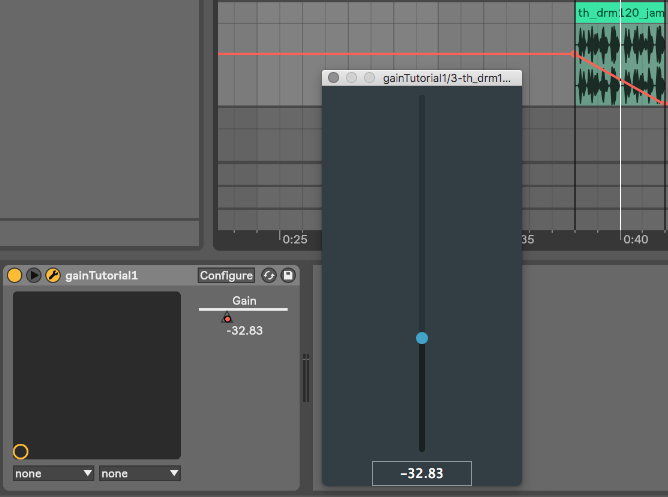
The image below shows the gain slider responding to automation changes in Ableton Live:
 Advanced Audiovisual Processing 2019